
Private Drive
Creating Private Drive
- Click the Create Private Folder button.

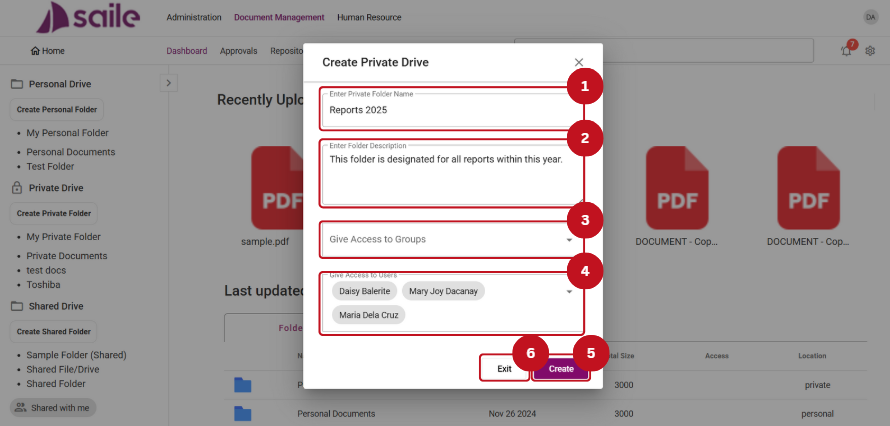
2. Enter Private Folder Name (1), Enter Folder Description (2), Specify Access to Groups (3), and Grant Access to Users (4). Click the Create (5) button to create the folder, or click Exit (6) to close the window.
Creating Folders
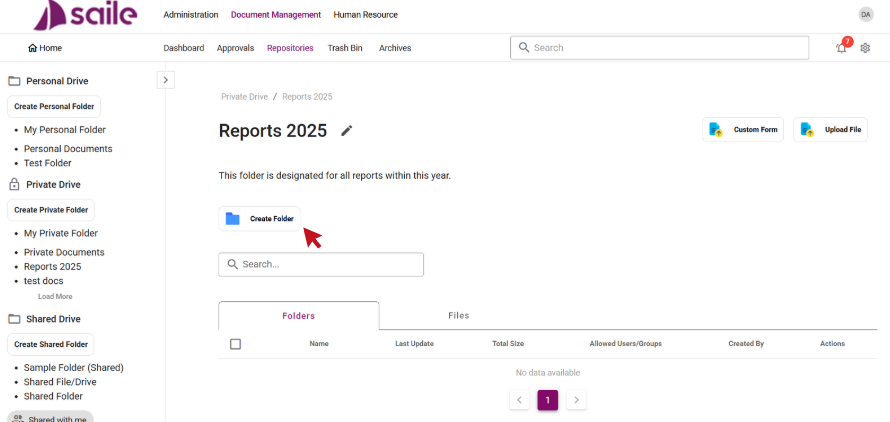
- Click the Create Folder button.
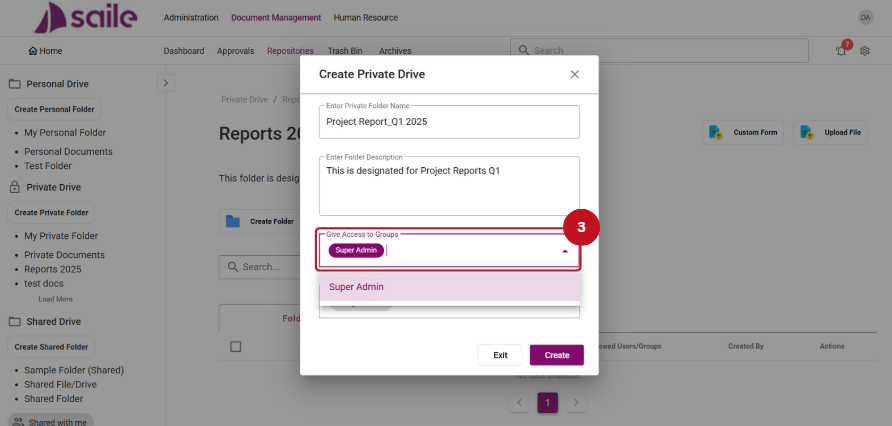
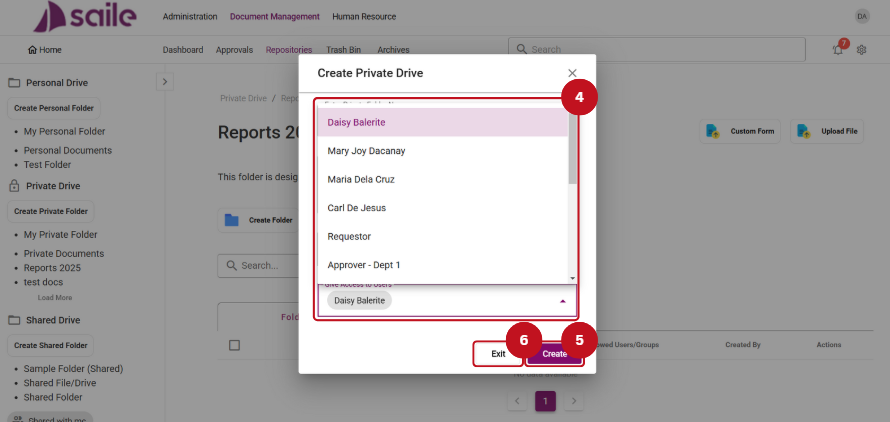
2. Enter the Private Folder Name (1), Folder Description (2), Grant Access to Groups (3), Grant Access to Users (4). Then, click the Create (5) button to create the folder, or click Exit (6) to close the window.

Folder Management Option
- The Edit option allows users to edit the Folder Name (1), Description (2), Grant access to Groups (3), and Grant access to Users (4). Then, click the Update (5) button to save the changes or click Exit (6) to close the window.

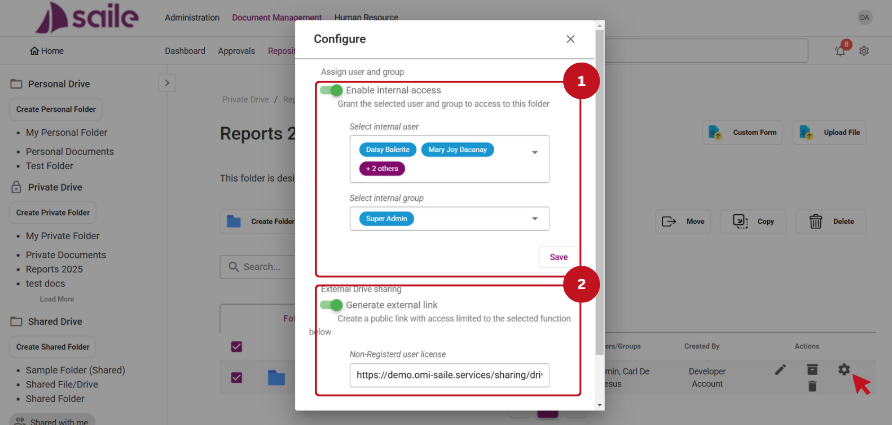
2. Click the Configure Option to Enable internal access (1) or Generate External Link (2).
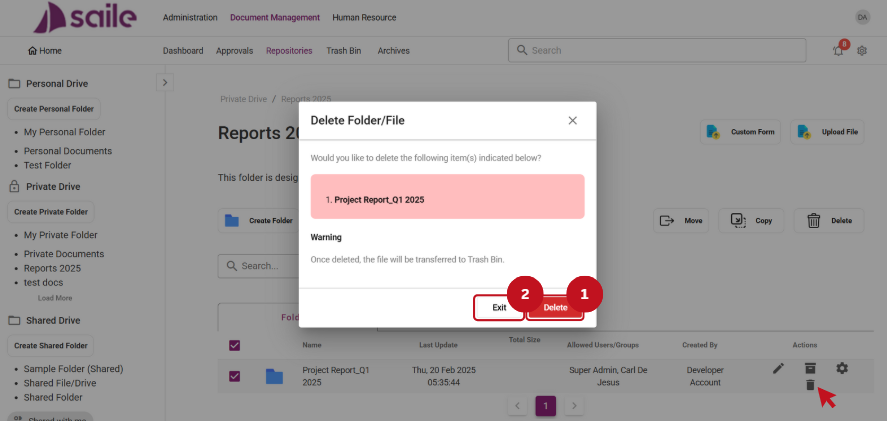
3. Click the Delete Option to remove the file. Then, click the Delete (1) button to confirm, or click the Exit (2) button to close the window.
4. Click the Archive Option to archive the file. Then, click the Yes (1) button to proceed or the Exit (2) button to close the window.

Creating Custom Form
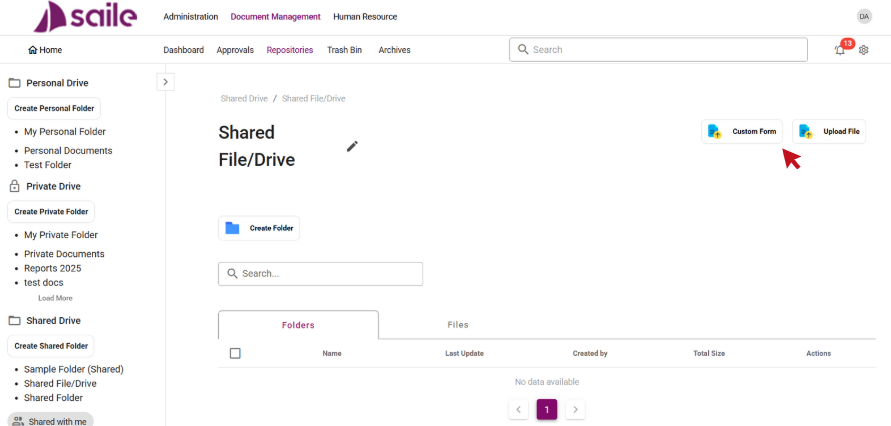
- Click the Custom Form button.
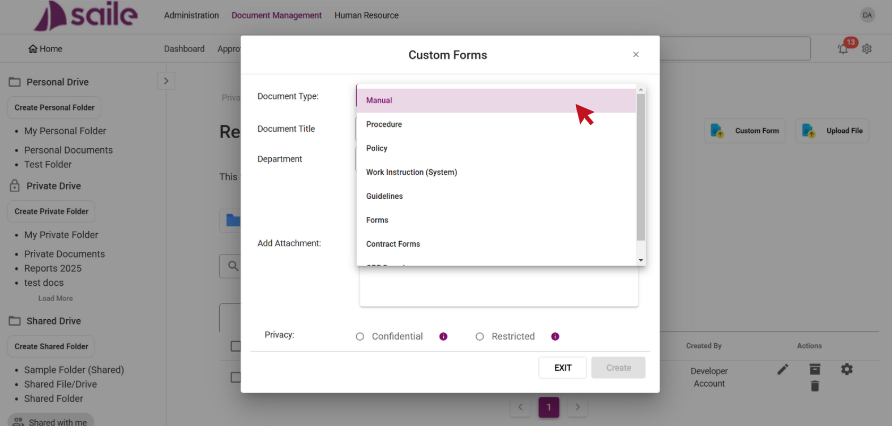
2. Select the Document Type.
3. Fill in the necessary details: enter the Document Title (1), Department (2), and add an Attachment (3). The Confidential (4) and Restricted (5) options , both under Privacy, to set access permissions. The “Confidential” option is intended for a specific user, while the “Restricted” option is meant for a group of users. Then, click Create (6) to create the custom form, or click Exit (7) to close the window.

File Upload
- Click the Upload File button.
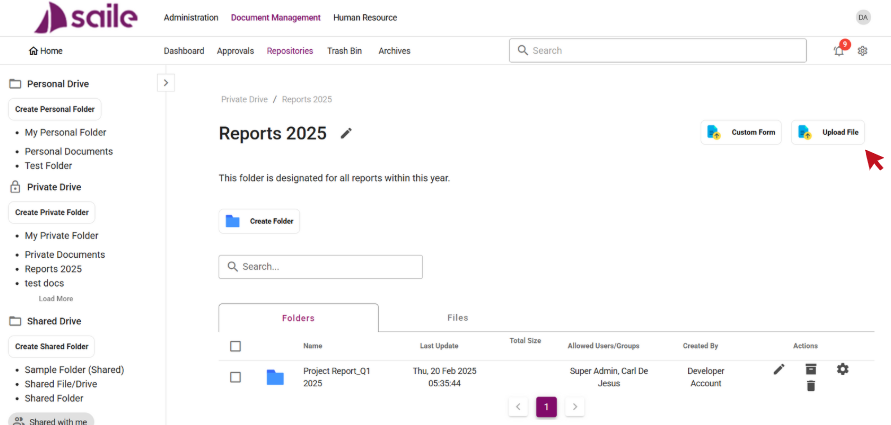
2. Select or drag the files into the Input field (1), then select the Document Type (2), and choose a Privacy option. Select Internal User for Confidential (3) or Internal Group for Restricted (4). Then, click the Upload (5) button to proceed or Exit (6) to close the window.
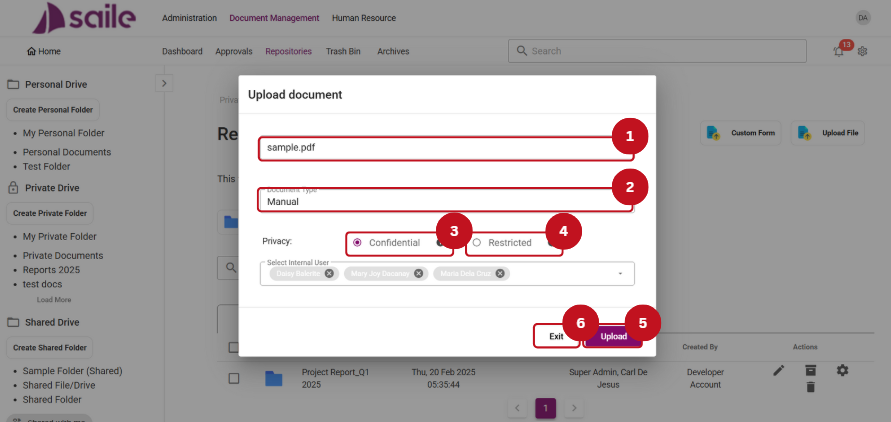
File Management Options
- Click the Edit Option to modify the title of the file.
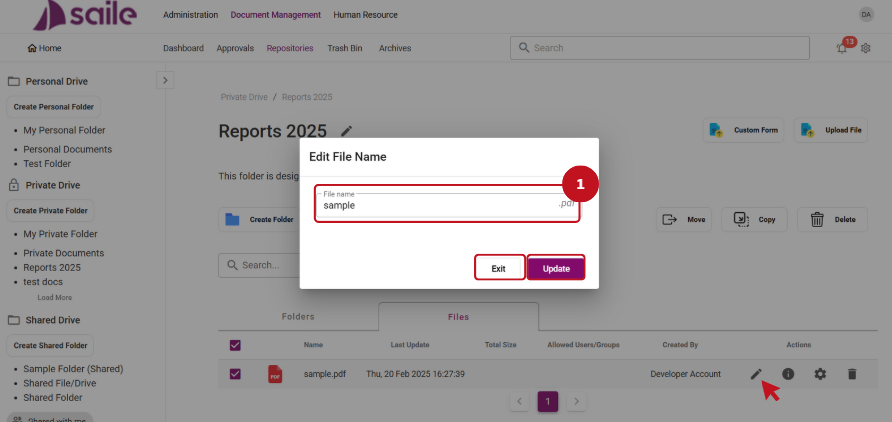
2. Click the Information Option to view the details of the file.
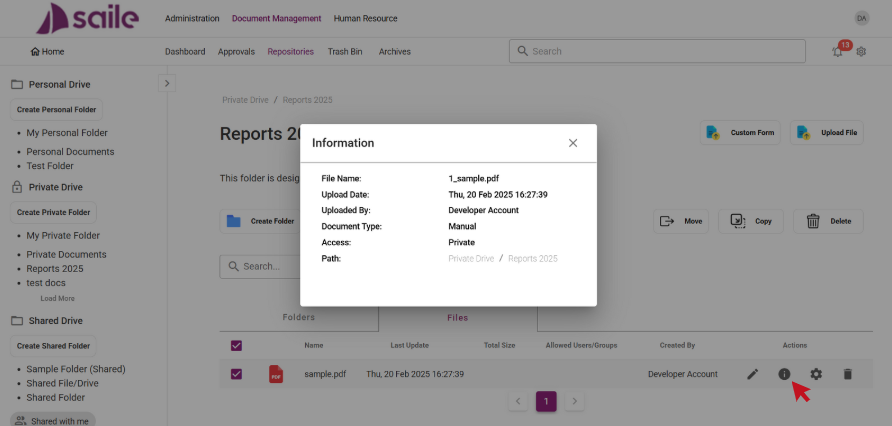
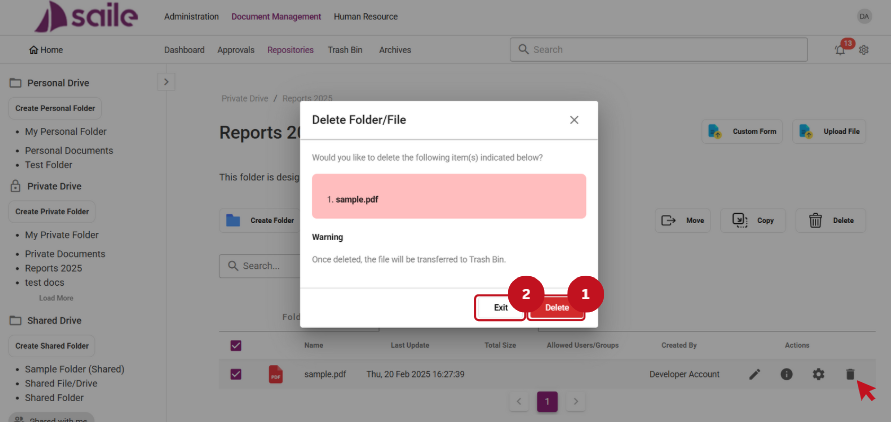
3. Click the Delete option to remove a file. Click the Delete (1) button to continue or click Exit (2) to close the window.
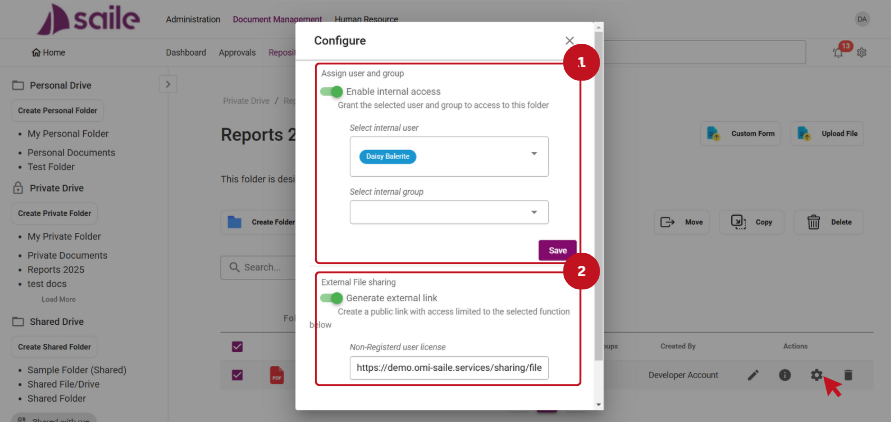
4. Click the Configure Option to Enable internal access (1) or Generate Internal Link (2).
17 Comments
Leave a Reply
Thank you for your sharing. I am worried that I lack creative ideas. It is your article that makes me full of hope. Thank you. But, I have a question, can you help me? https://accounts.binance.com/pl/register-person?ref=UM6SMJM3
Thanks for sharing. I read many of your blog posts, cool, your blog is very good.
If you’re into lotteries, 82betlottery might be worth checking out. They’ve got a good selection, and the interface is pretty user-friendly. Fingers crossed that I win big one day! give it a try : 82betlottery
The jalwaregisterlink was actually surprisingly easy to use. I was expecting a headache, but it was a breeze to get signed up and ready to play. You need a link to sign up?: jalwaregisterlink
Alright, so I checked out 9rbet9app. Not gonna lie, it’s pretty slick! Easy to navigate, and the bonuses are actually decent. Worth a look if you’re after something new. Check it out: 9rbet9app
Can you be more specific about the content of your article? After reading it, I still have some doubts. Hope you can help me.
Thank you for your sharing. I am worried that I lack creative ideas. It is your article that makes me full of hope. Thank you. But, I have a question, can you help me?
I don’t think the title of your article matches the content lol. Just kidding, mainly because I had some doubts after reading the article.
Your point of view caught my eye and was very interesting. Thanks. I have a question for you. https://www.binance.info/register?ref=IHJUI7TF
Thanks for sharing. I read many of your blog posts, cool, your blog is very good. https://www.binance.info/uk-UA/register?ref=XZNNWTW7
Thank you for your sharing. I am worried that I lack creative ideas. It is your article that makes me full of hope. Thank you. But, I have a question, can you help me?
Can you be more specific about the content of your article? After reading it, I still have some doubts. Hope you can help me.
Thank you for your sharing. I am worried that I lack creative ideas. It is your article that makes me full of hope. Thank you. But, I have a question, can you help me?
Mwmbetapp is pretty cool! I mean, it does what it needs to do. I had some issues on the old version but theyve fixed them. Gotta give it a go mwmbetapp.
Okttslot sounds promising! Hoping for some hot slots and cool wins tonight. Let’s get spinning, shall we? Spin now at okttslot
82jili, might give this one a try after work. Hopefully, it has some good bonuses. Wish me luck! Give it a shot at 82jili
Thank you for your sharing. I am worried that I lack creative ideas. It is your article that makes me full of hope. Thank you. But, I have a question, can you help me?